
Best Seller
Ebook
Published on Apr 05, 2011 | 176 Pages

The most up-to-date techniques for shooting in RAW format, using the newest features of the latest software
Many serious amateur photographers have trouble getting that "wow" shot from their digital cameras. And they’re discovering that working in RAW (the digital equivalent of a film negative) takes their photographs to the next level, giving them the control they need to get the highest image quality possible. The problem is, while most photographers know how to shoot RAW, they might not understand how to best deal with "RAW captures" to achieve the ultimate goal: producing the best images.
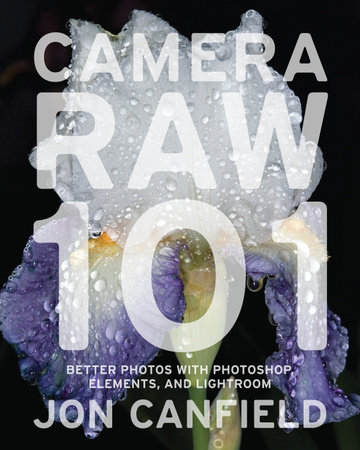
In Camera RAW 101, digital photography and software expert Jon Canfield explains everything you need to know to make the most of RAW captures using the newest versions of Photoshop, Elements, and Lightroom. You’ll find out how to get the most detail from your RAW files–whether it’s correcting shadows and highlights, fixing white balance, or getting rid of noise. You’ll learn how to convert RAW images using both basic and advanced techniques, as well as how to download and organize the images, and put the finishing touches on them after conversion.
Packed with beautiful images, solid instruction, and working examples–including screen grabs and before-and-after contrasts that show each step–this is a must-have for any serious amateur photographer who wants to take better, more creative photographs.
Many serious amateur photographers have trouble getting that "wow" shot from their digital cameras. And they’re discovering that working in RAW (the digital equivalent of a film negative) takes their photographs to the next level, giving them the control they need to get the highest image quality possible. The problem is, while most photographers know how to shoot RAW, they might not understand how to best deal with "RAW captures" to achieve the ultimate goal: producing the best images.
In Camera RAW 101, digital photography and software expert Jon Canfield explains everything you need to know to make the most of RAW captures using the newest versions of Photoshop, Elements, and Lightroom. You’ll find out how to get the most detail from your RAW files–whether it’s correcting shadows and highlights, fixing white balance, or getting rid of noise. You’ll learn how to convert RAW images using both basic and advanced techniques, as well as how to download and organize the images, and put the finishing touches on them after conversion.
Packed with beautiful images, solid instruction, and working examples–including screen grabs and before-and-after contrasts that show each step–this is a must-have for any serious amateur photographer who wants to take better, more creative photographs.
Author
Jon Canfield
A consultant for Canon, HP, and Pantone, JON CANFIELD helped develop digital imaging software for Microsoft. He is the author of Photo Finish, Print Like a Pro, and The Digital SLR Guide. He writes the "Output Options" column for Shutterbug magazine, is a frequent contributor to PC Photo, Outdoor Photographer, and Digital Photo Pro, and teaches classes on Photoshop, Elements, and Camera Raw at the Perfect Picture School of Photography (www.ppsop.com).
Learn More about Jon CanfieldYou May Also Like
The Photographer’s Lighting Toolbox
Ebook
$4.99
The Photographer’s Survival Guide
Ebook
$12.99
Candlemaking for Fun & Profit
Ebook
$13.99
Practical Auto & Truck Restoration HP1547
Ebook
$14.99
Chevy LS Engine Conversion Handbook HP1566
Ebook
$14.99
The Complete Book of Outrageous and Atrocious Practical Jokes
Paperback
$15.00
Amulets and Talismans
Ebook
$12.99
Engine Cooling Systems HP1425
Ebook
$4.99
BoHo Chic Jewelry
Ebook
$4.99
×